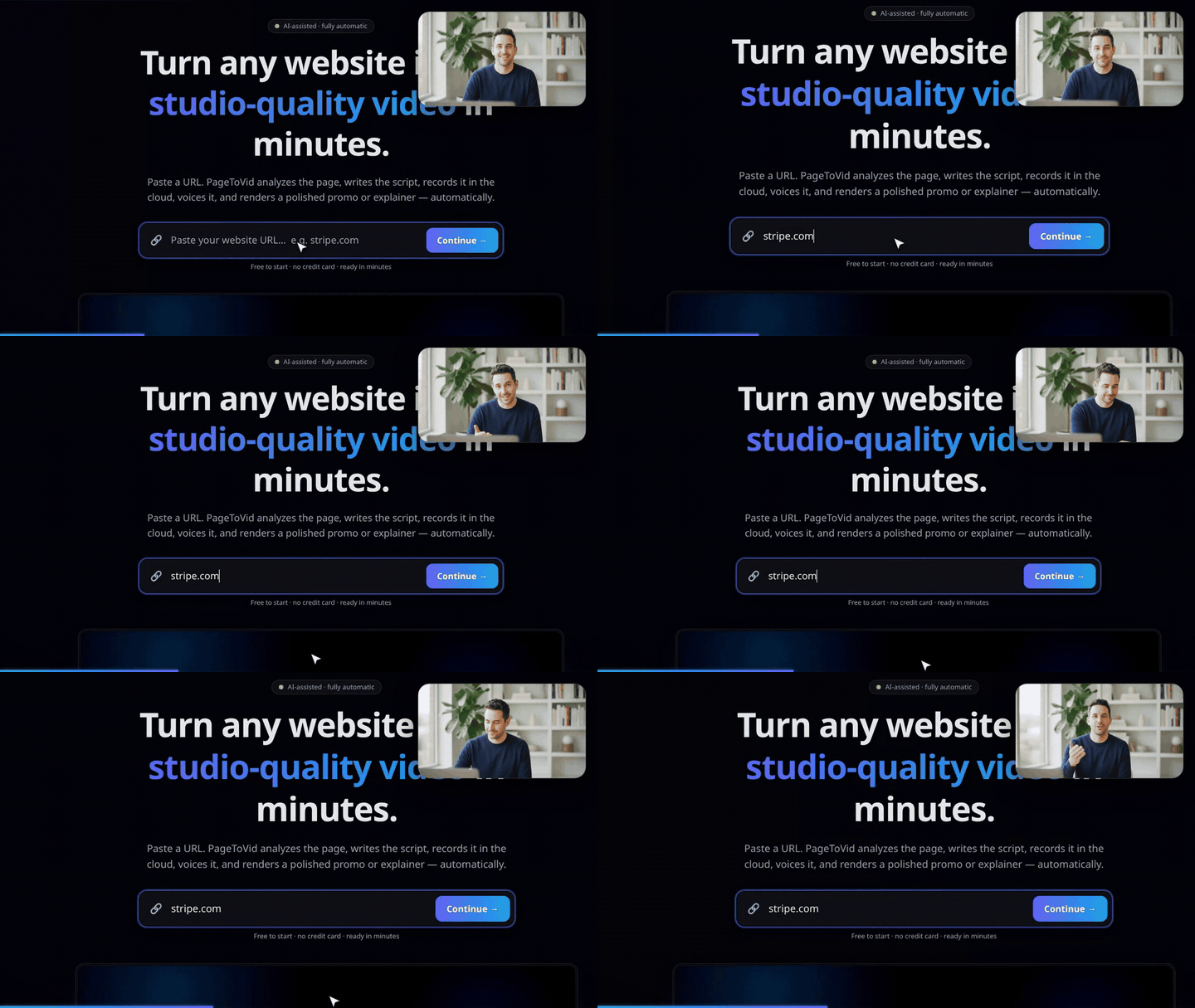
A presenter in the corner
The arrangement every screen tutorial uses: the product filmed full-screen, and a person in the corner talking about it. In PageToVid the person is a generated clip drawn over the scene rather than instead of it, and it works on a filmed scene and a drawn one alike.
- 1. Create the character
- 2. Direct the shots
- 3. Let the presenter speak — no narrator
set_insetsettings- What it costs
- What the layout guarantees
1. Create the character
A character keeps the same face in every clip of a film. Draw its reference portrait once (40 credits, the price of one still — or free from images you already have):
create_character
  name:        "Sam, the PageToVid host"
  generate:    "A friendly man in his early thirties, short dark hair, light stubble, navy
                crew-neck sweater, at a desk in a bright home office, looking into the camera"
  description: "Sam, a friendly man in his early thirties … talking to camera like a YouTuber."

2. Direct the shots
Make each scene a different part of the product, and make most of them do something — typing into the real search box, clicking the real button. Use selectors from inspect_page.
update_storyboard  video_id: …
  set_shot  scene 2  selector: <the URL field>        action: type   text: "stripe.com"
  set_shot  scene 3  selector: <the Continue button>  action: click
  set_shot  scene 4  selector: <the search box>       action: type   text: "pricing"
                     page_url: https://pagetovid.com/animations
3. Let the presenter speak — no narrator
Give each scene empty narration and a presenter whose line is in quotation marks. The presenter’s own voice becomes the soundtrack; each scene holds until his last word, measured from the clip, plus a breath.
update_storyboard  video_id: …
  rewrite_narration  scene 2  narration: ""
  set_inset  scene 2
    character: "Sam, the PageToVid host"
    size:      0.28
    generate:  "Sam at his desk, talking to camera, glancing at his screen.
                He says: \"Step one: paste a link. I'll use Stripe.\""
Then rerender_video. That is the whole recipe for the film above.
set_inset settings
Every field is optional, and nothing here can refuse a render: an out-of-range value is adjusted, never rejected.
| Field | Effect |
|---|---|
generate | The shot, as you would describe it. A line in quotation marks is said out loud. null removes the presenter. |
character | A create_character name, so the same face recurs. |
model | Which model makes the clip, e.g. seedance-2.0-mini. Omitted: the house clip (Veo 3.1 Fast). See AI models. |
corner | bottom-right, bottom-left, top-right, top-left. Omit it and the corner that keeps clear of what the shot is about is chosen — the button being clicked, the field being typed into — both before the camera moves and where it settles. A corner you name is kept even if it covers something, and the render says so. |
shape | rounded (the whole clip), circle (a talking head — needs a close-up), square. |
size | Width as a share of the frame, 0.14–0.42. Default 0.26. |
mute | The face without the voice. By default a scene with no narration lets the presenter carry it, and a narrated one drops him to a bed under the narrator. |
What it costs
A presenter is one generated clip per scene, charged when it is made and refunded if it fails (the scene then plays without the presenter):
- House clip (no
model): 311 credits. - A named model: its per-second price at the model’s cheapest resolution — a presenter is drawn at a quarter of the width, where the difference never shows. A 6-second presenter on
seedance-2.0-miniis 94 credits.
Ask first, free:
{ "name": "quote_cost",
  "arguments": { "kind": "clip", "model": "seedance-2.0-mini", "role": "inset", "duration_s": 6 } }
The presenter’s clip is reused on later renders at no charge; moving it (corner, size, shape) never regenerates it. Changing generate or character makes a new one. Every price is in Credits & pricing.
What the layout guarantees
These are enforced by the renderer and covered by tests, not left to chance:
- Inside the frame, in every aspect ratio and at any size.
- Clear of the captions — including when a caption is lifted above a low subject.
- Clear of the watermark on a free plan.
- Never stretched: the clip keeps its own shape; a circle crops a square so a face is not squeezed.
- Never cut off mid-sentence in a scene with no narration.